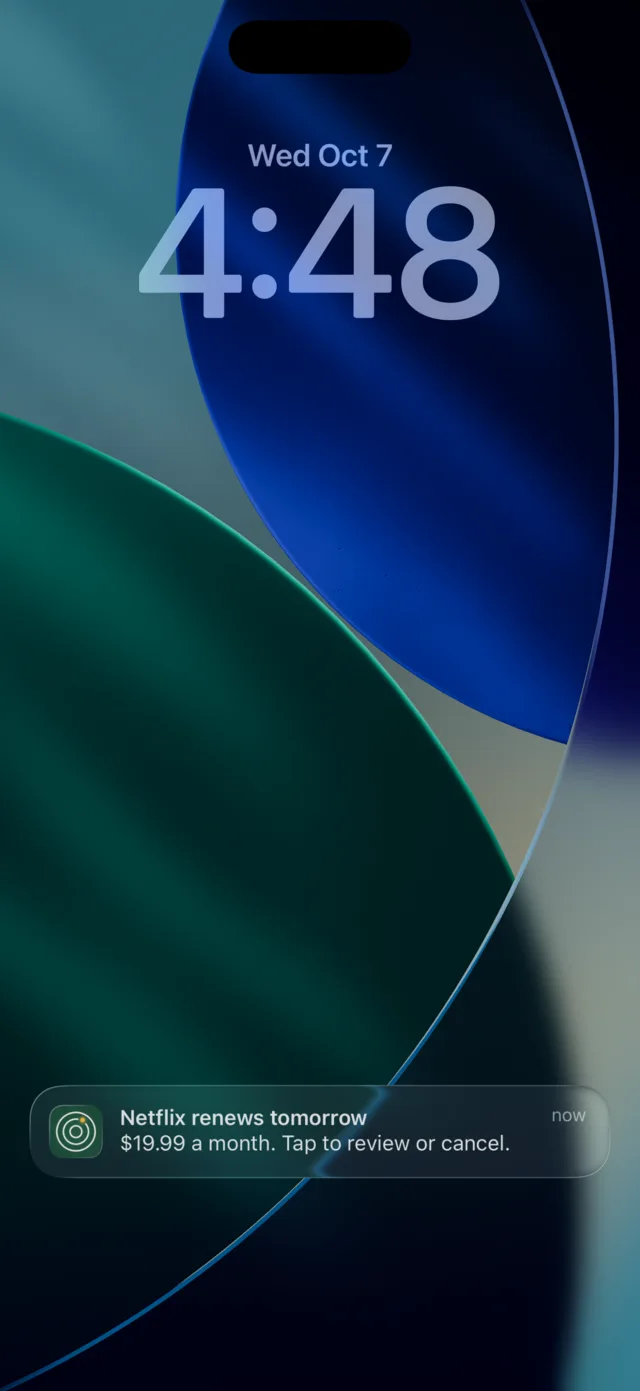
 Netflix renews tomorrow


A heads-up the day before every charge
At the time you choose. Or on the day, 3 days or a week before, set for each subscription. Send yourself a test reminder to see it work. This one is real, delivered by iOS.
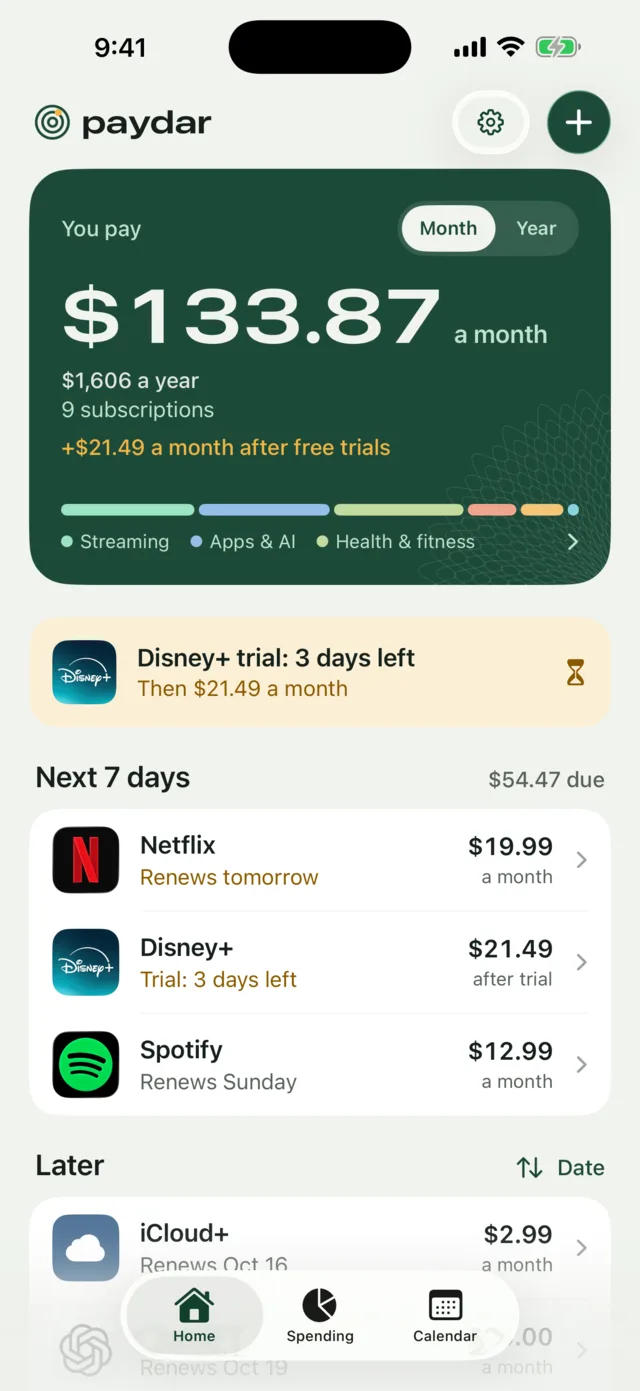
Paydar keeps your subscriptions and free trials in one list, adds up what you really pay, and reminds you the day before every charge. For iPhone and Apple Watch.
Freefor your first 3.
Then $2.99 once. No subscription.
Free download for iPhone with iOS 26 or later; the Apple Watch app is optional (watchOS 26). Unlimited is one in-app purchase: $2.99 in the US, CA$3.99 in Canada. No account, no ads.
Tap the ones you pay for and Paydar fills in a typical price for most popular ones. Anything else, add with a name and a price.
Tap the ones you have, as on Paydar's first screen. The prices are the same typical ones the app fills in for you.
3 of 16 picked
You pay
$35.97a month
$432 a year, for 3 subscriptions
Paydar is free for your first 3, then $2.99 once. Your subscriptions spend that much about every 3 days.
Typical prices for each service's usual monthly plan, checked on 7 October 2026: the same ones Paydar fills in. Your bill may differ, and you can change any price in the app. Where nobody could confirm a price (Duolingo, and five services in Canadian dollars), you type it in. Other currencies work too; you type those prices.
Real screens from the app, shown with its sample list.
At the time you choose. Or on the day, 3 days or a week before, set for each subscription. Send yourself a test reminder to see it work. This one is real, delivered by iOS.
Free trials get two warnings, 3 days and 1 day before they end, and Home counts down the days.
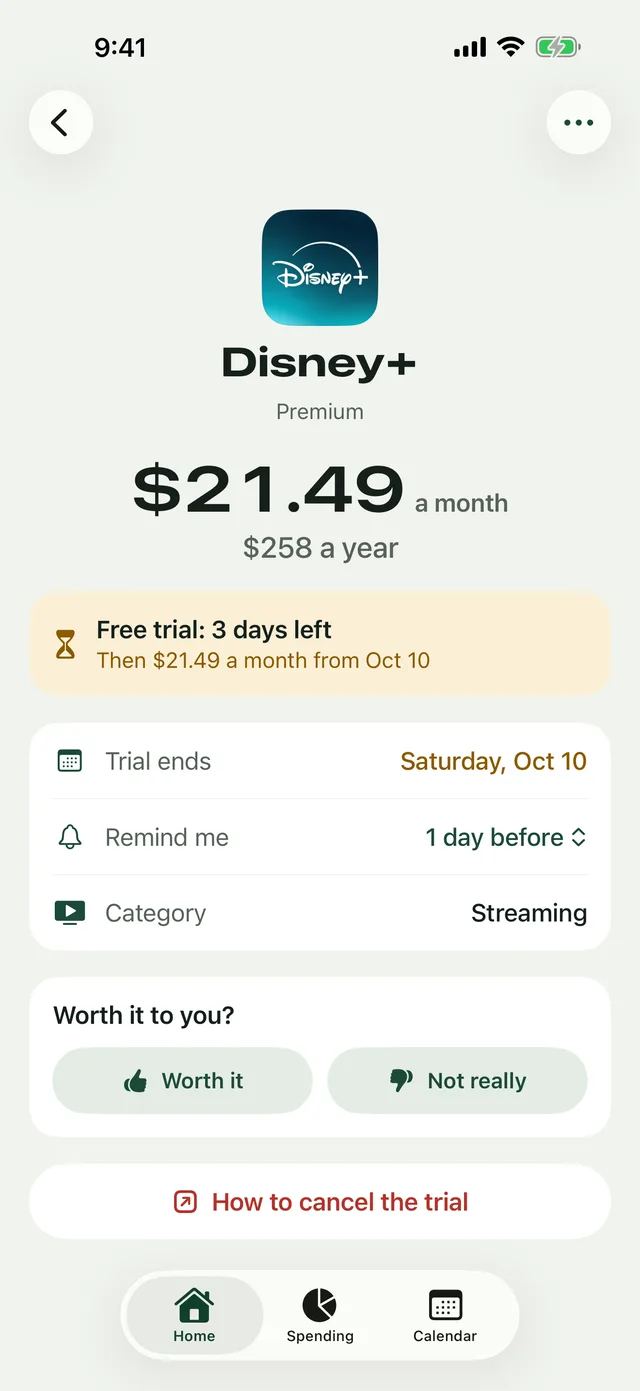
Mark each one "Worth it" or "Not really" and see what canceling saves in a year: $192 for YouTube Premium. "How to cancel" opens the right page; Paydar can't cancel for you.
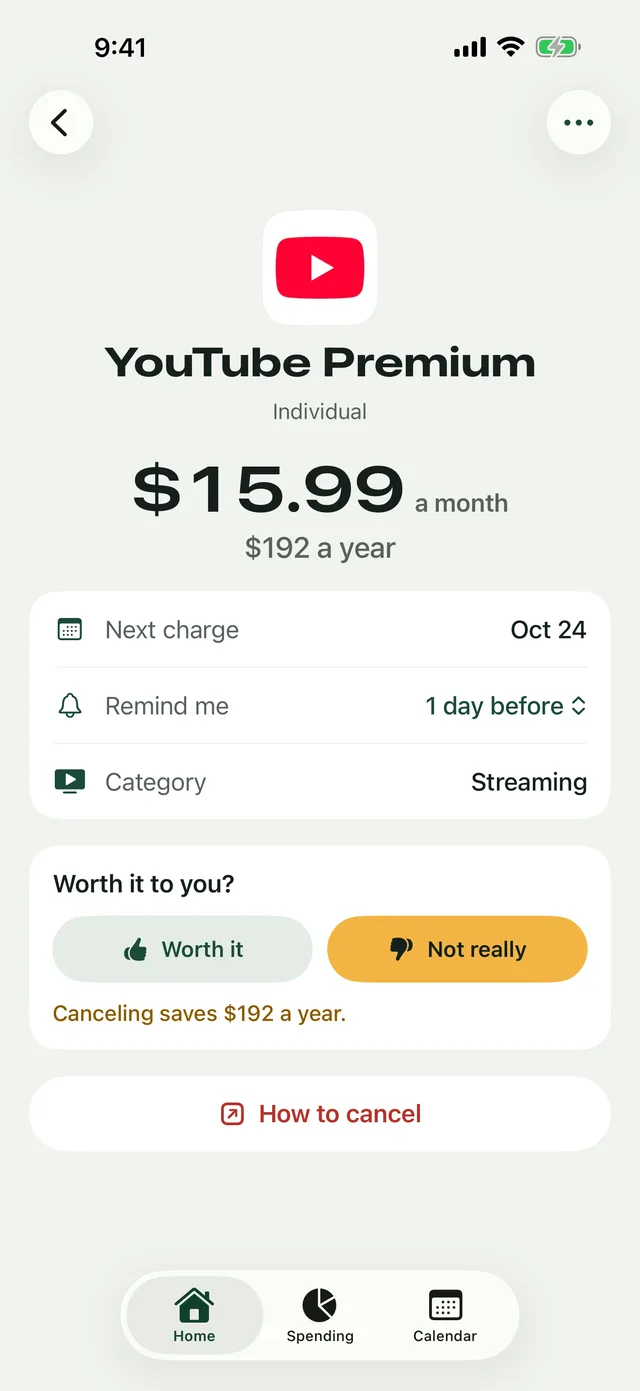
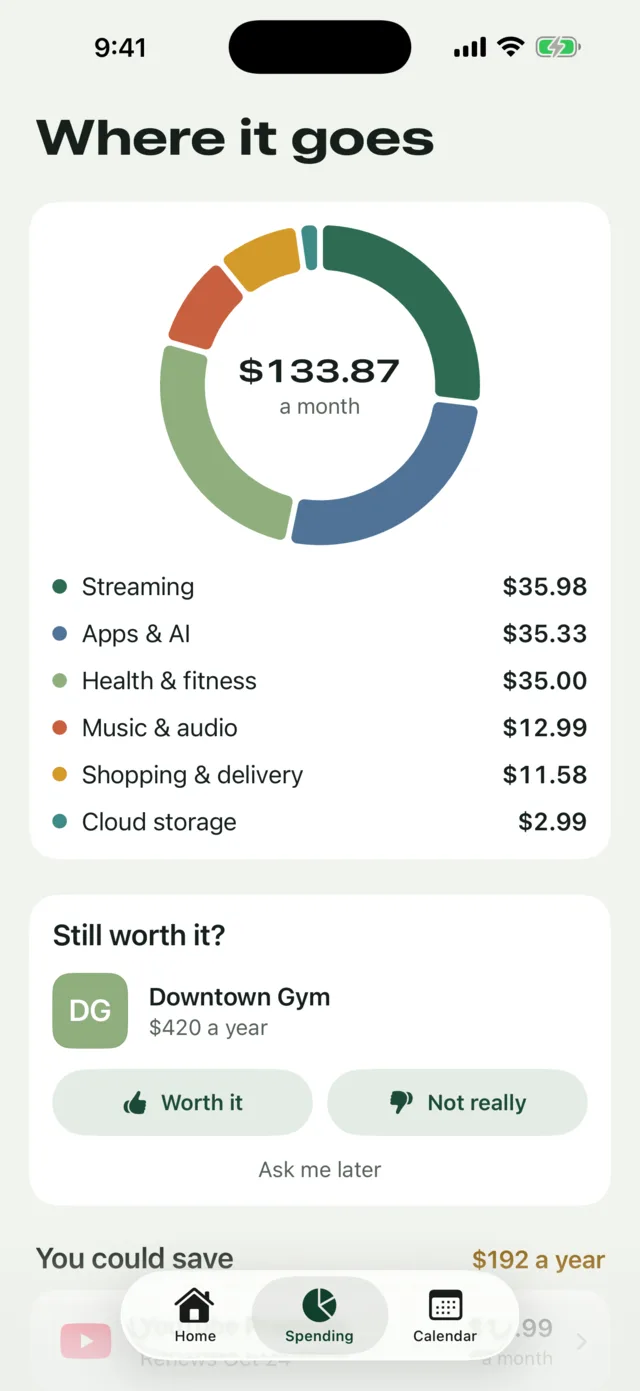
Spending by category, your biggest costs and price rises. Weekly, monthly, quarterly and yearly bills add up to one honest total.
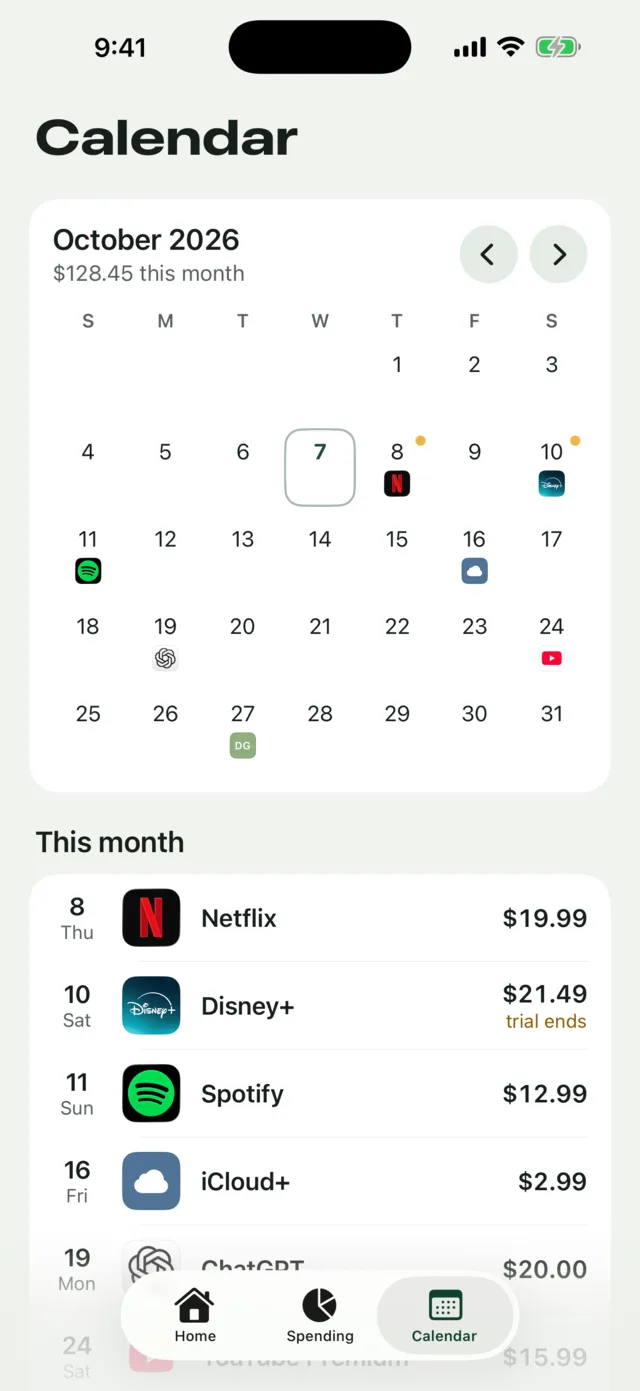
A logo on every day something bills, and this month's charges listed underneath, so a heavy week never surprises you.
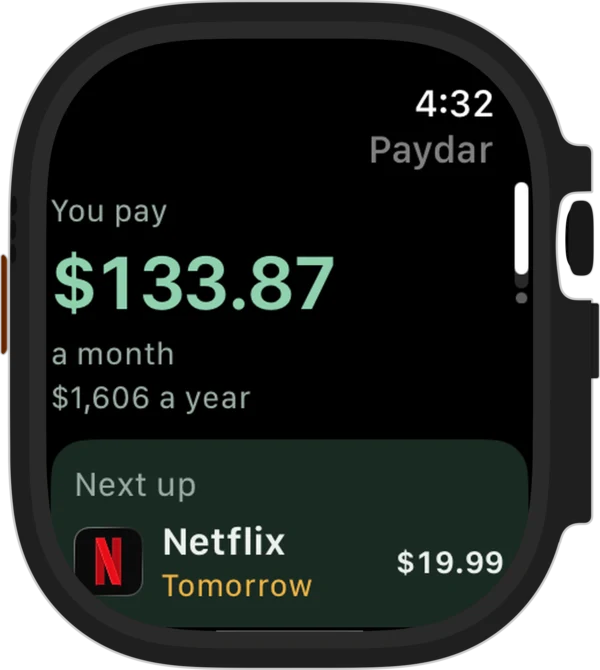
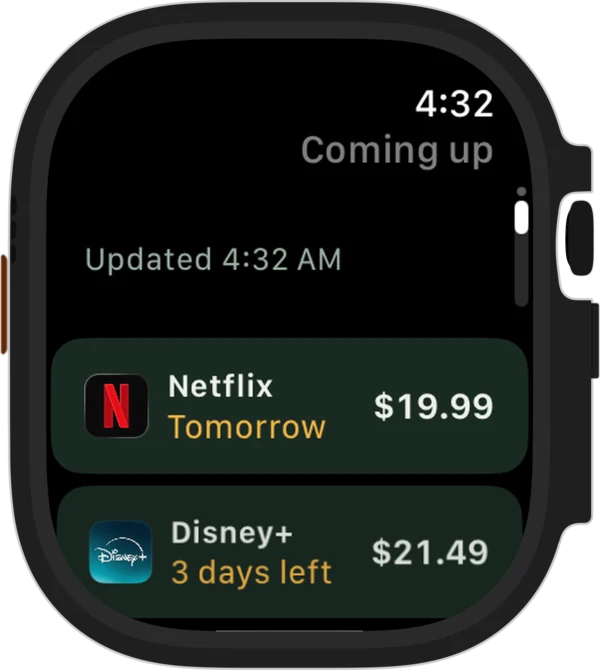
The Apple Watch app shows what you pay a month and what renews next, synced from your iPhone.
What you enter is stored on your iPhone, and copied to your Apple Watch if you use it. The app has no server and makes no network requests of its own. Read the privacy policy.
Start free with up to 3 subscriptions, everything working: reminders, free-trial warnings, the Apple Watch app and widgets. One in-app purchase unlocks unlimited. No subscription, no ads, no account.

Free download. Needs an iPhone with iOS 26 or later; the Apple Watch app is optional (watchOS 26). Unlimited: $2.99 in the US, CA$3.99 in Canada, and the local price elsewhere.
Paydar began in AI Build Night, a YouTube series where AI builds real apps on camera. One person then tested, checked and finished it. Watch the episode.
Answers to common questions. Still stuck? Email me.
No. There is no account, no analytics, no advertising and no tracking, and the app makes no network requests of its own. What you enter is stored on your iPhone, and copied to your Apple Watch if you use the watch app. Links you open (a provider's cancel page, your Apple subscriptions) open in Safari or the App Store. Full details are in the privacy policy.
Go through these in order:
Good to know: a charge date that is only a guess (quick add guesses one) gets no reminder until you set it, so tap "Set the dates" on Home. If you add something after its usual reminder time has already passed, Paydar sends one reminder about a minute later. iOS lets an app keep 64 reminders scheduled at once, so Paydar schedules the nearest ones, tops them up each time you open the app and in the background when iOS allows, and the last one asks you to open Paydar. If you track many subscriptions and haven't opened Paydar for a few months, open it once.
The watch app only shows your list. You add and edit subscriptions on the iPhone. When your iPhone is out of reach, the watch shows the last list it received.
Open Paydar, tap the gear, then "Import from a spreadsheet", and choose your file. Paydar shows what it found; tap "Add" to bring them in.
The first row must be a header. Required columns: name, amount, cycle (weekly, monthly, quarterly or yearly) and next_charge (a date like 2026-10-21). Optional columns: plan, category, status, service, notes. Amounts can be written 9.99, $9.99 or 9,99.
If one row has a problem, Paydar adds nothing and tells you which row. The easiest start: add one subscription by hand, tap "Export to a spreadsheet", and use that file as your template.
Paydar can't cancel for you. It takes you to the right page.
Deleting a subscription in Paydar only removes it from the app. It never cancels anything with the provider.
Apple handles every App Store purchase, so refunds come from Apple, not from me. Go to reportaproblem.apple.com, sign in with the Apple Account you bought it with, and choose Paydar. Apple decides refund requests under its own policy. If something is broken, please email me first: I would rather fix it.
When your currency is US or Canadian dollars, Paydar fills in a typical price for most of the popular services (checked on 7 October 2026). A few popular services have no price we could confirm in Canada, and most of the less common ones don't fill in a price, so you type those. They are list prices for the usual plan and may be out of date, so change any price to match your bill. In any other currency you type the price yourself.
No. Paydar never asks for a bank login or email access, which is why nothing about you leaves your phone. The trade-off is that you add what you pay for yourself. The 102 built-in services make that quick: tap the logos you have.
Before you switch, open Paydar, tap the gear, and tap "Export to a spreadsheet" to save a copy. On the new iPhone, install Paydar and use "Import from a spreadsheet". If you restore the new iPhone from a backup, Paydar's data may come across with it, as it does for most apps.
An iPhone with iOS 26 or later. The Apple Watch app is optional and needs watchOS 26 or later. There is no iPad version. The app is in English.
Something broken, or a service you'd like added? Email me. I'm one person, and I read every message.
It's the same inbox as my other app, Overcrank. Tell me your iPhone model, iOS version, and what you tapped. Please don't send passwords or card numbers; I will never ask for them.